

story no. 02
OwnKeep
Offline, keyboard-first vault for macOS.
Role
Creator & Solo Developer
Timeline
2026 — now
Company
OwnKeep
Stack
Tauri · Rust · React
Part 01
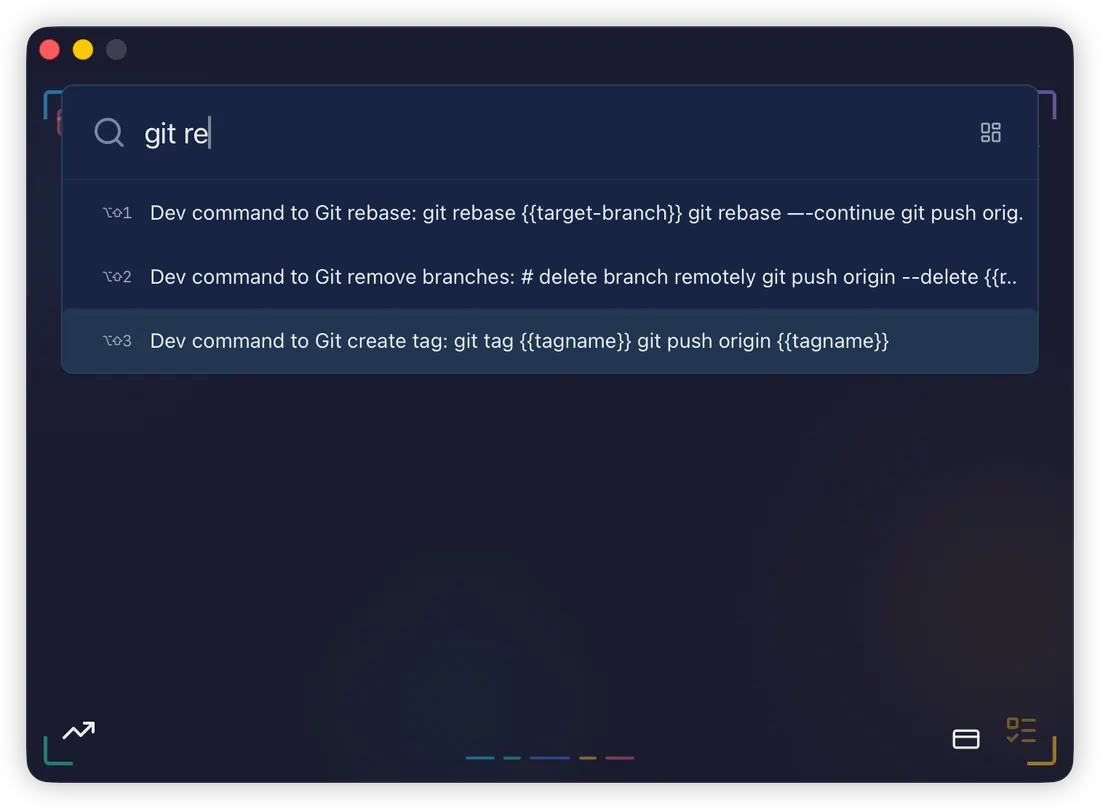
Global Command Bar
A Spotlight-style bar summoned with ⌘⇧Space from any app. Type a few letters, press ⌥⇧1–9, and the secret or command lands on the clipboard — concealed from clipboard managers and auto-cleared after 30 seconds.
Part 02
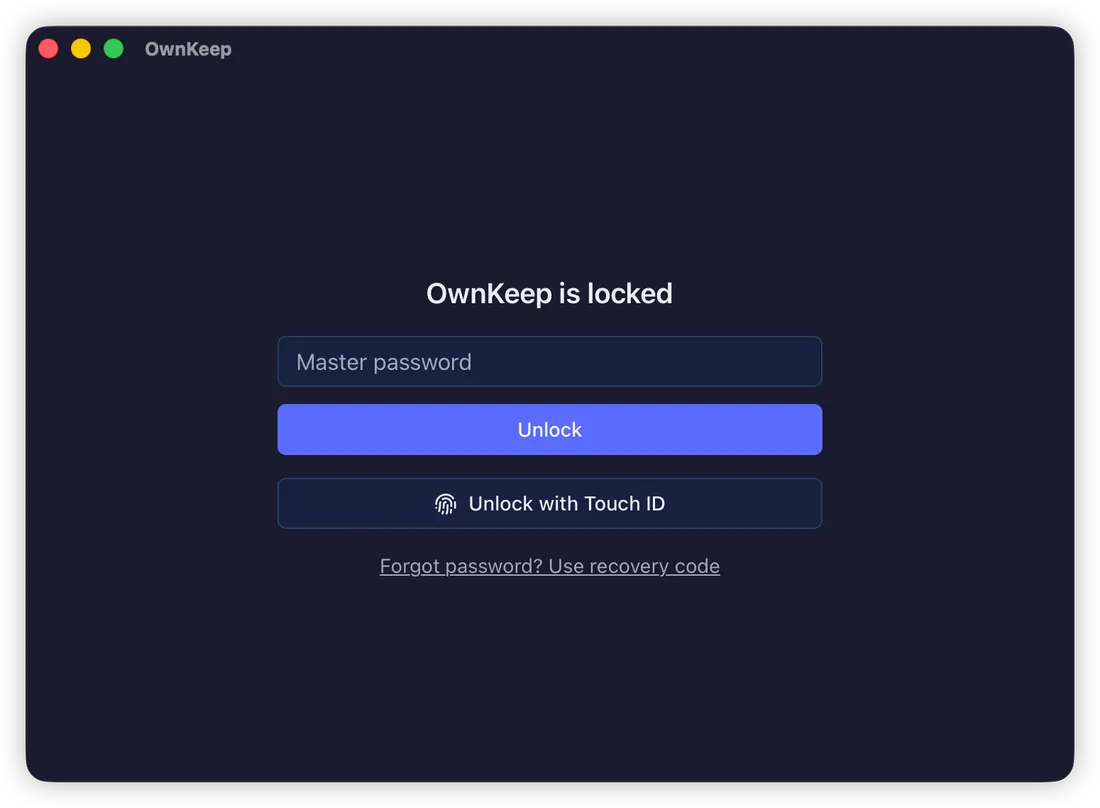
Encrypted Vault & Touch ID
Argon2id key derivation with XChaCha20-Poly1305 AEAD over a single portable vault file. Unlock by master password or Touch ID; the Rust core zeroizes keys the moment the vault locks, and a 12-word Emergency Kit restores access entirely offline.
Part 03
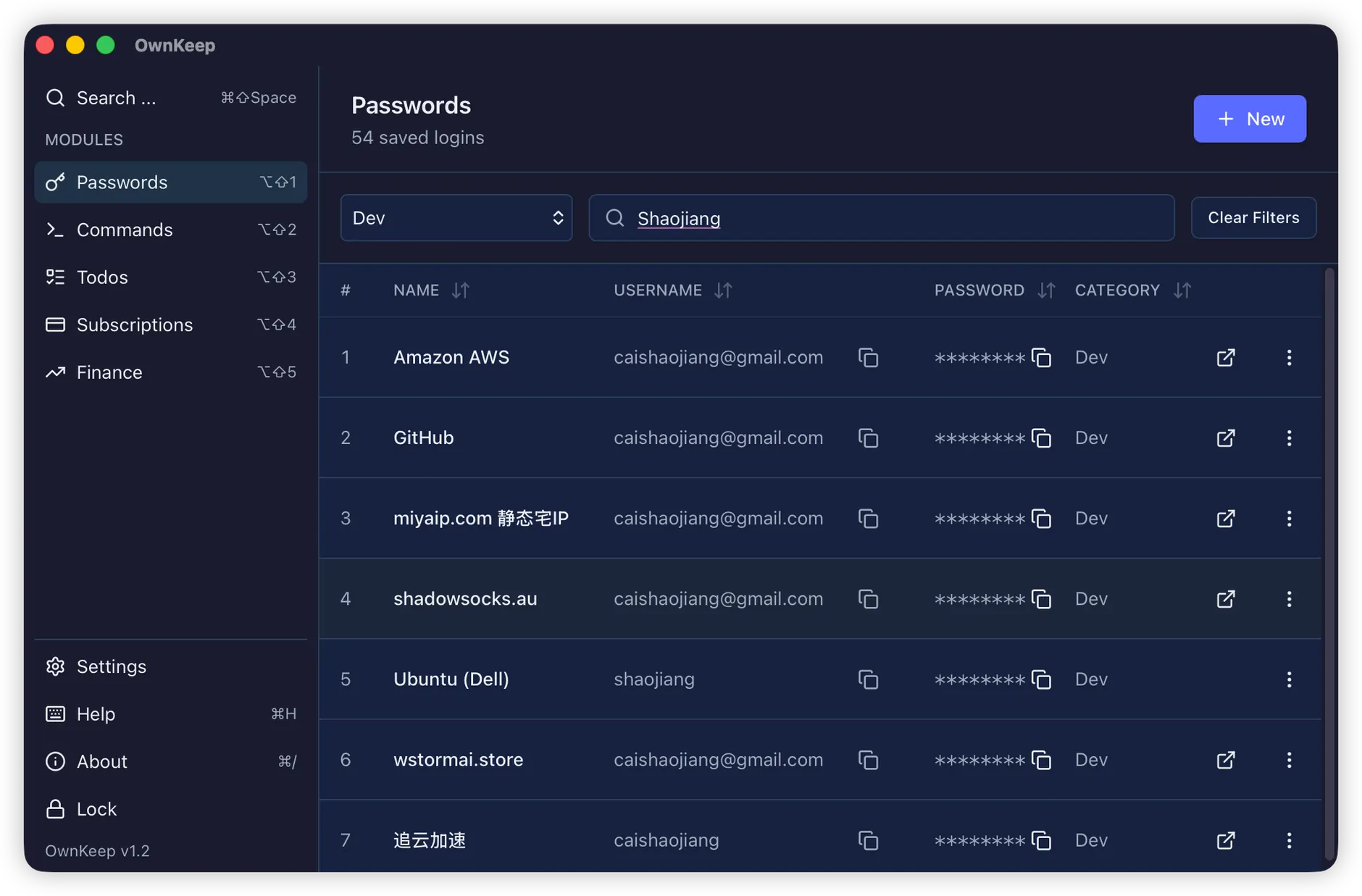
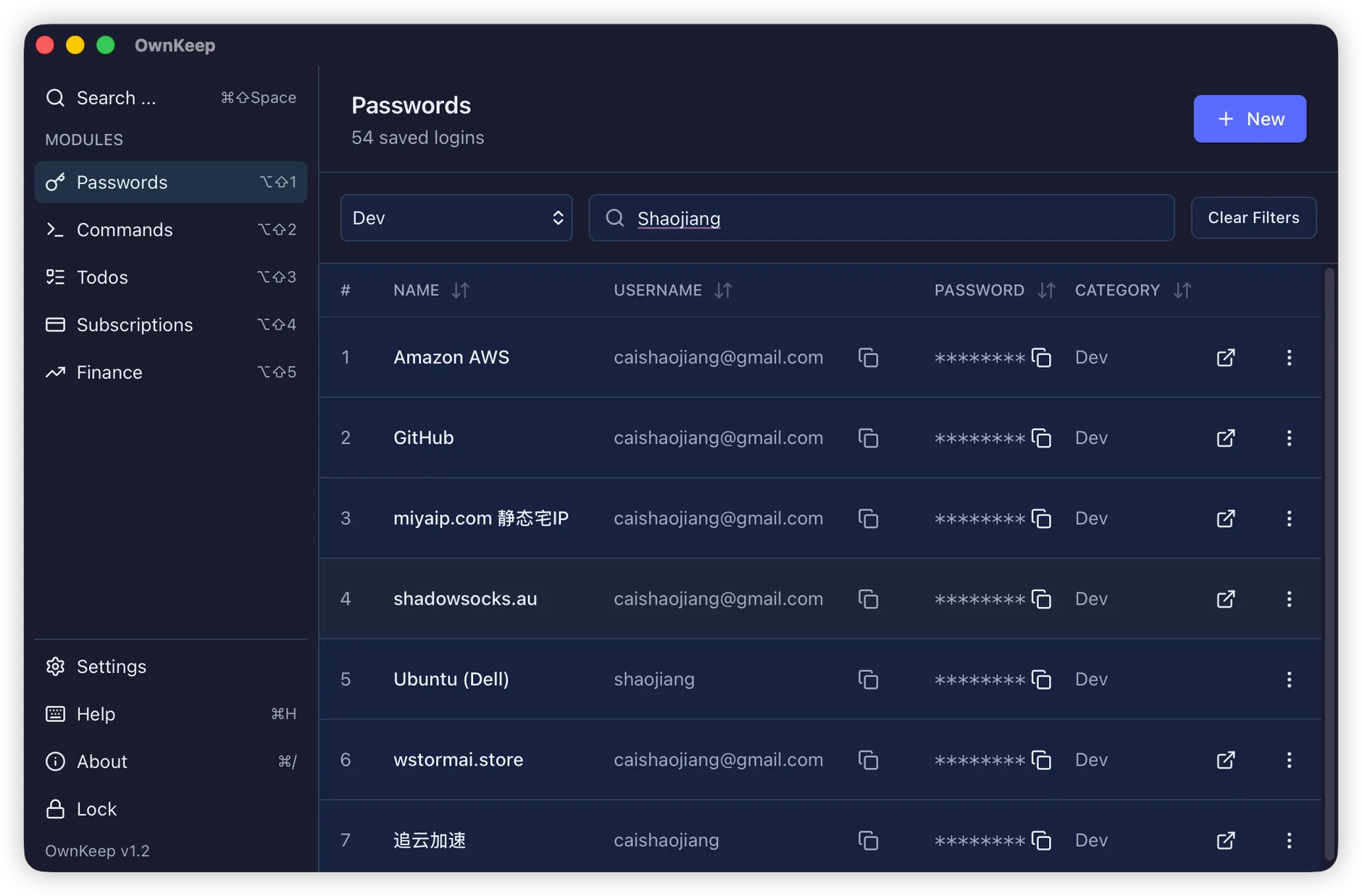
Passwords Module
Logins organised by custom categories and tags, with sortable columns, one-click concealed copy for usernames and passwords, and full-text search that also handles CJK entries.
Part 04
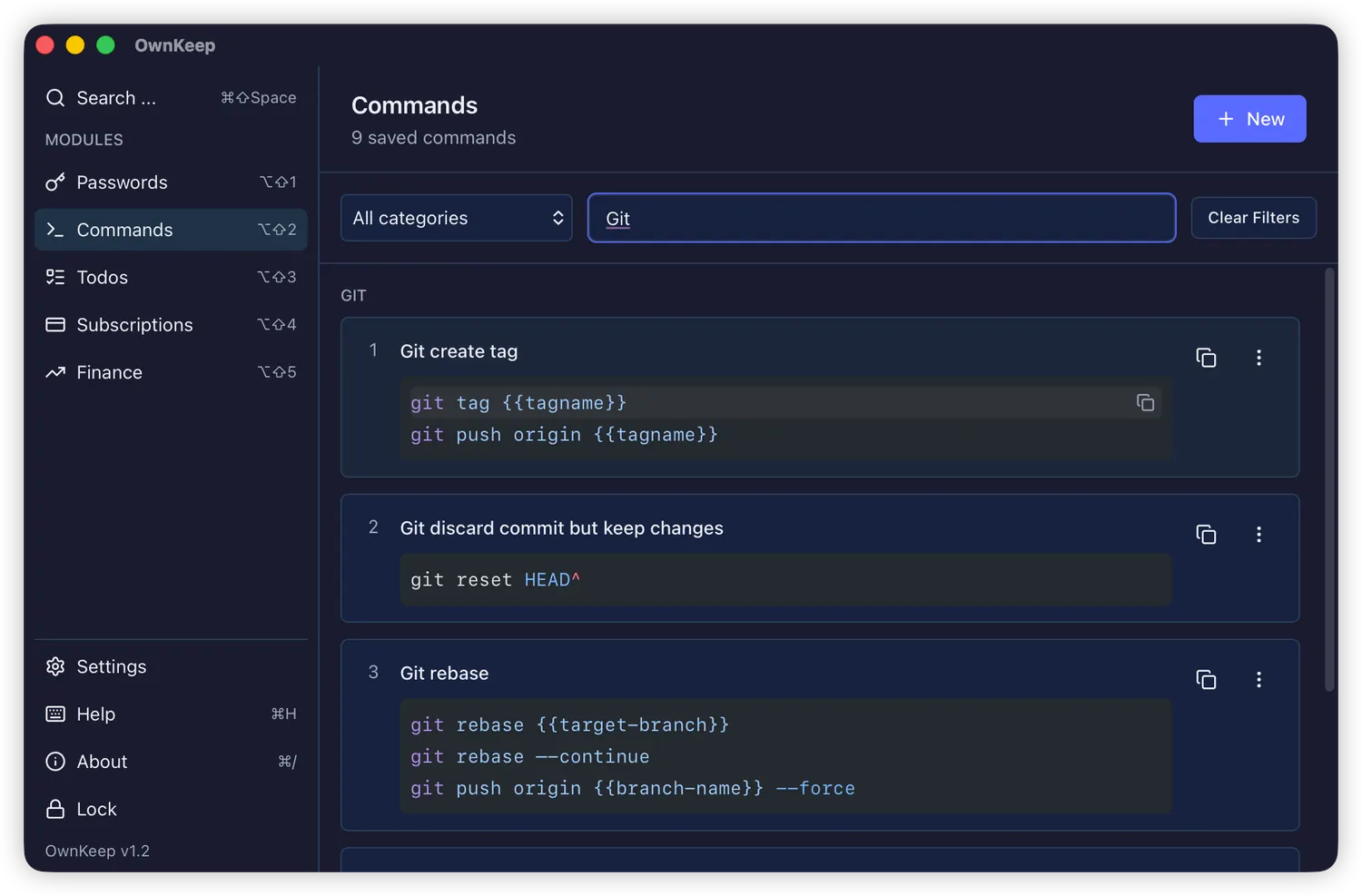
Commands Module
A searchable library of shell command templates with placeholders, copied raw or filled in via ⌥⌘1–9 straight from the command bar.
Part 05
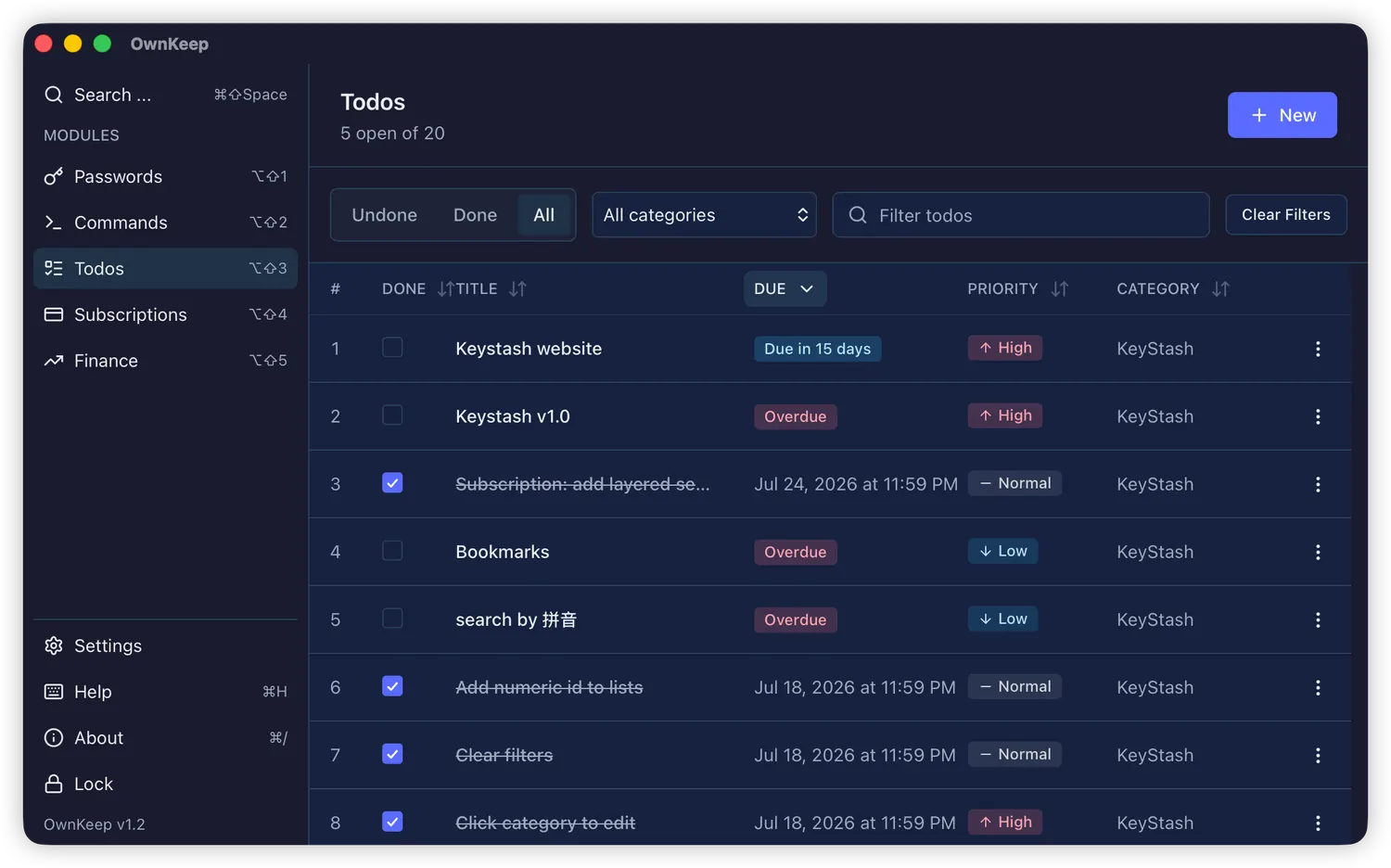
Todos Module
A lightweight task list living in the same vault — due dates, categories and tags, searchable alongside everything else and never synced anywhere.
Part 06
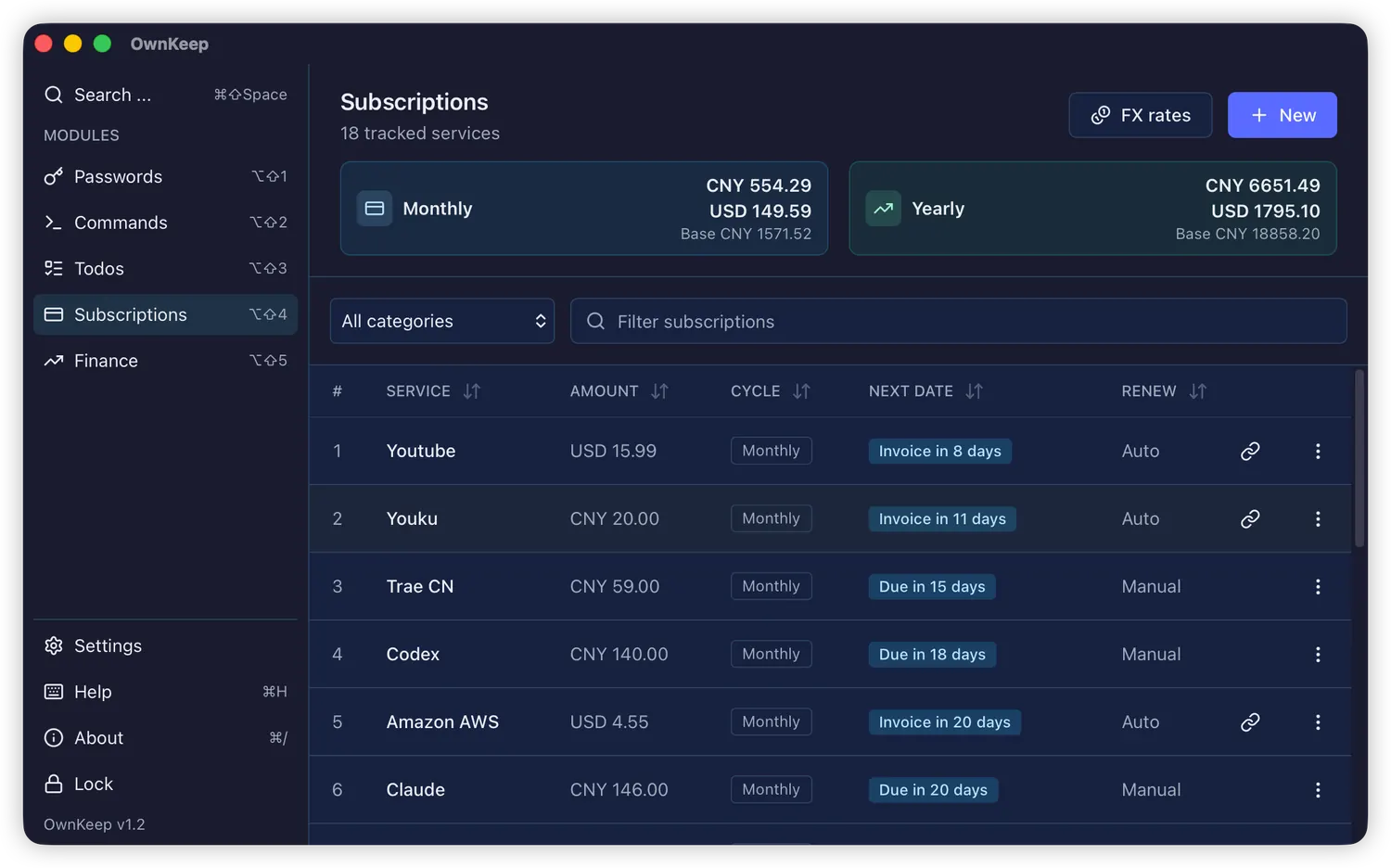
Subscriptions Module
Recurring subscriptions with billing cycles, renewal dates and cost tracking, so the yearly charges nobody remembers stay visible.
Part 07
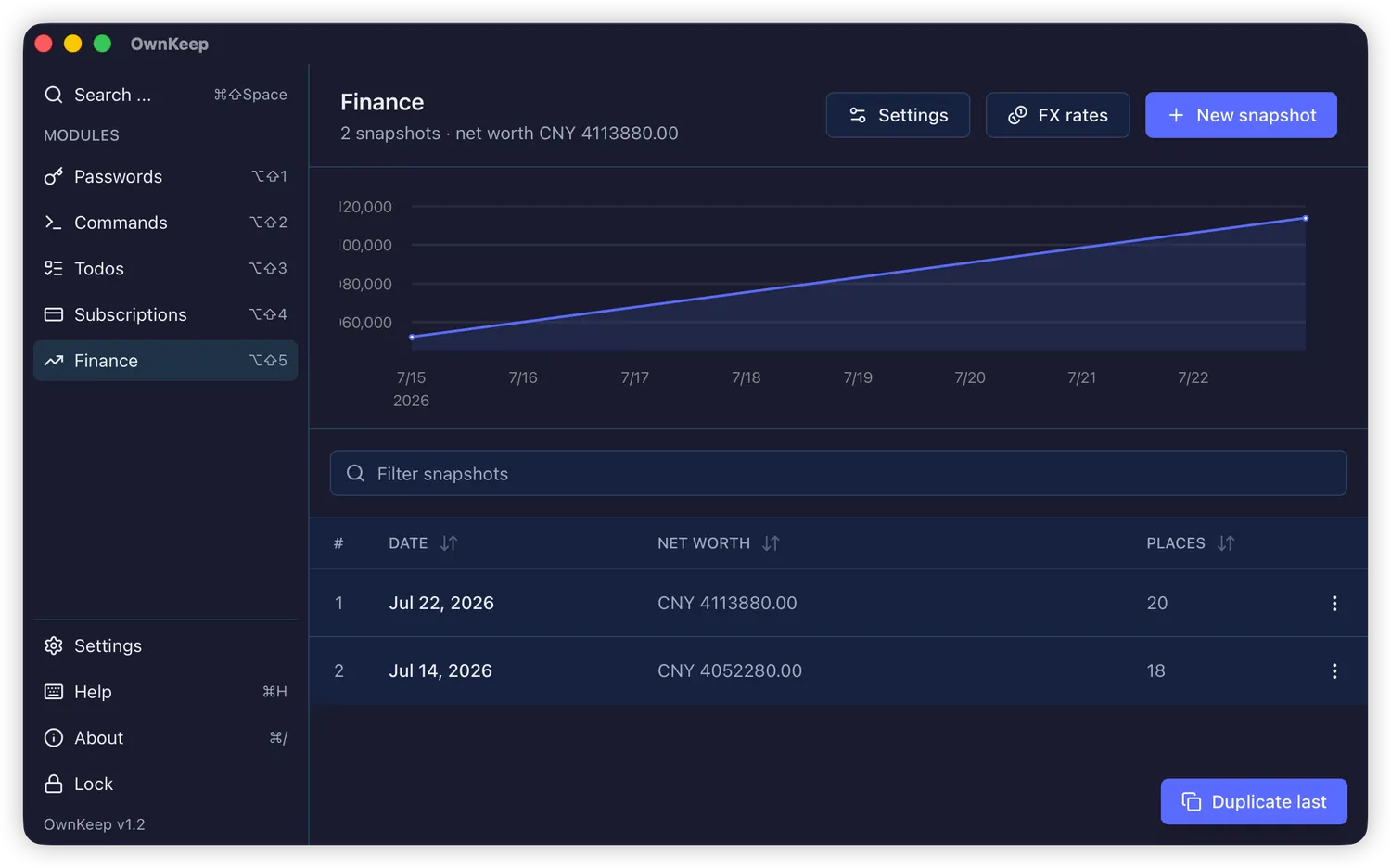
Finance Module
Personal finance records — accounts, balances and notes — kept encrypted on disk rather than in a spreadsheet or a third-party service.
Part 08
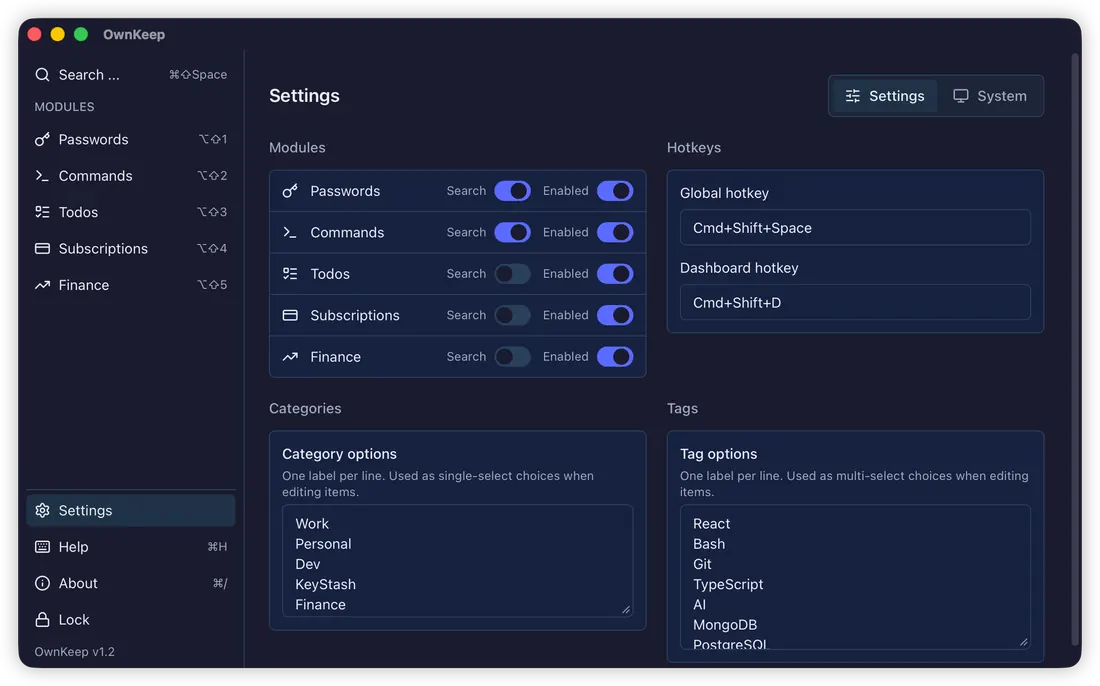
Settings, Hotkeys & Theming
Rebindable global and dashboard hotkeys, light/dark/system themes with a live custom accent colour, per-module toggles, and user-defined categories and tags — all applied without a restart.
Part 09
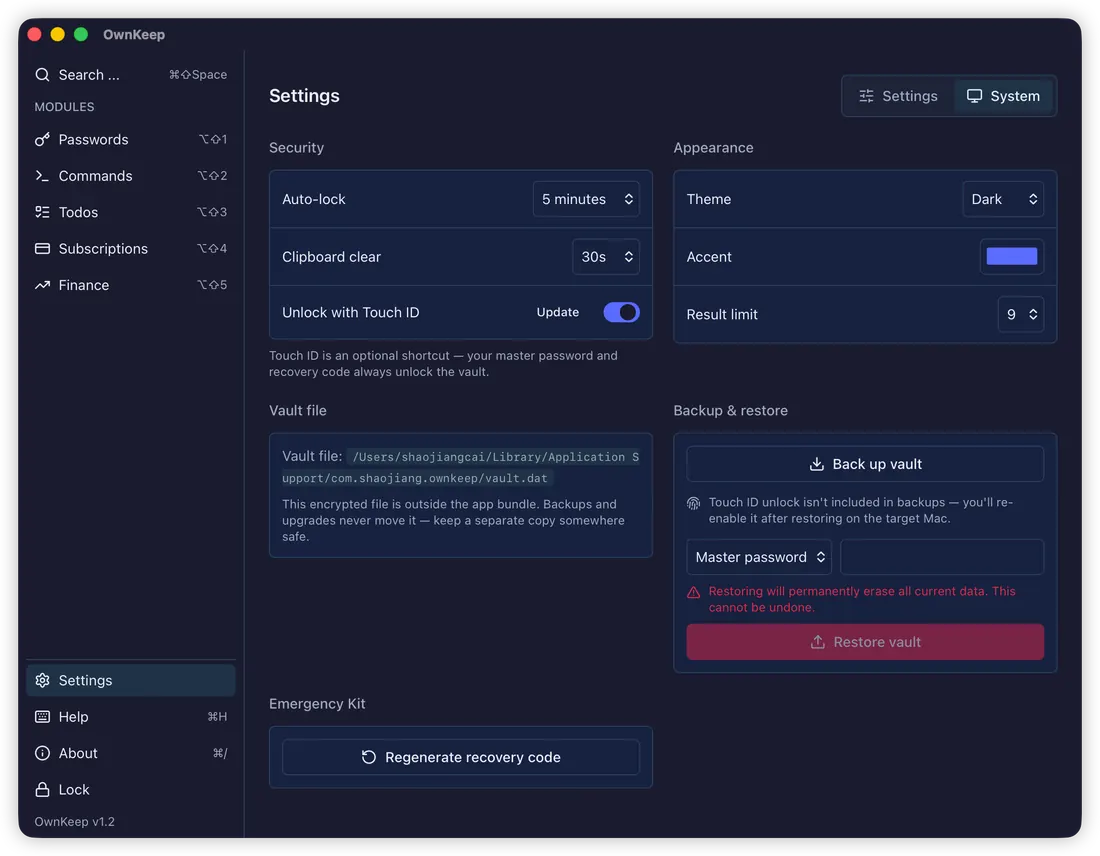
Vault File, Backup & Migrations
The vault file lives outside the app bundle, so upgrades never touch user data. Backup and restore are built in, and any data-shape change shows a migration guide before a single byte is written.
9
features
9
technologies
3
months on it